Dental lab management software for Egypt's labs and clinics
If you're looking for dental lab management software because work is scattered across WhatsApp threads, notebooks, and phone calls — this is the tour. LabCaseBook turns every restoration — crown, bridge, veneer, denture — into one organized case that the clinic and the lab follow together, from prescription to delivery.
- One organized case per restoration — orders never drown in a chat scroll
- Photos keep their full resolution, so shades stay accurate
- Live status: the clinic sees where a case stands without a single phone call
- Invoices built on the cases themselves, not a separate notebook
Last updated July 3, 2026
Where the day goes today
Most dental labs run their day out of WhatsApp: the clinic sends a scan or a photo into a chat, the lab answers somewhere between a hundred other messages, and two weeks later nobody remembers who ordered what or where a case stopped. The results are familiar: remakes, missed dates, and billing done from memory.
- The shade photo arrives compressed — and the colour comes back wrong
- "Is it ready yet?" gets asked dozens of times a day
- Old cases are buried somewhere in the scroll
- When someone leaves, the chat history leaves with them
What dental lab management software should actually do
It should hold everything a case needs in one place: a structured prescription with an FDI tooth chart and shade, photos and files at their original resolution (shade photos, impressions, scans, x-rays), a chat that belongs to that case, and one visible path from submitted to delivered — with every step recorded in the case timeline under the name of whoever did it.
- Structured Rx form — restoration type, teeth, material, shade, due date
- Full-resolution photo and file storage with a Full resolution badge
- Per-case chat and notifications, so questions stay attached to their case
- A live status pipeline both sides see: submitted → in production → ready → shipped → closed
- A tamper-proof case timeline: who did what, and when
The lab's day on one board
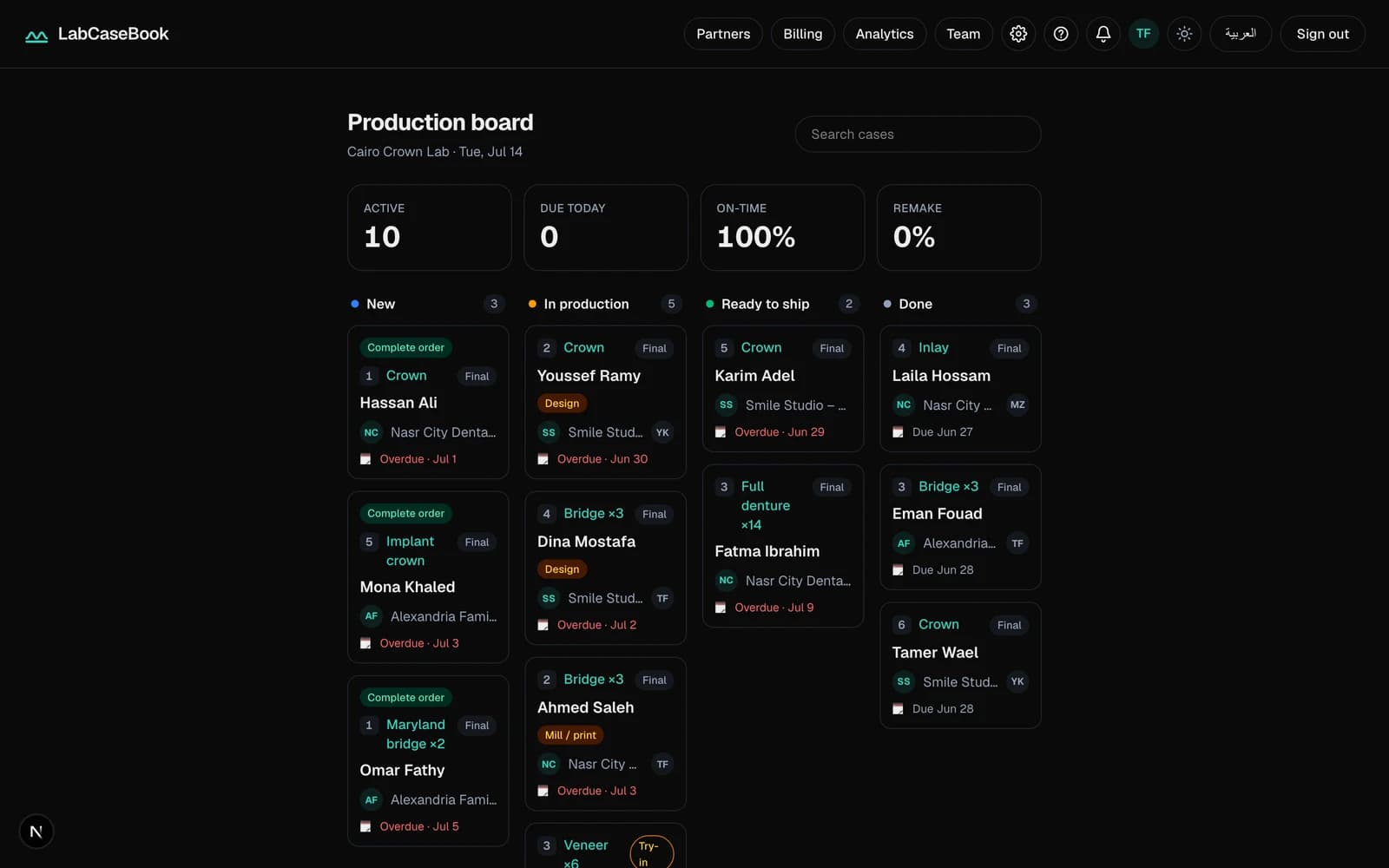
The lab opens the board in the morning and finds the day already sorted into columns by stage: new, in production, ready to ship, done. Due dates are visible on every card, and counters like due-today turn the morning from phone calls into priorities.
Billing without the notebook
The lab records its price list once, and invoices are built on the cases themselves. Every clinic has a clear account: what was made, at what price, and what's been paid — no separate notebook, no parallel spreadsheet.
Your clinics join for free
The lab drives everything: create your lab's account, invite your clinics, and each clinic sees only its own cases. Clinics pay nothing — and the whole product works in Arabic and English, on any phone, tablet, or computer, with nothing to install from an app store.
How you start
- 1Create your lab's account with Get started.A few minutes, no credit card.
- 2Record your price list and invite your team.
- 3Invite your first clinic.Clinics join free — they just accept the invitation.
- 4Receive your first case and let the pipeline carry it.
Common questions
- Do all my clinics have to use it?
- No — start with the clinics you most want to organize work with. Every clinic joins free, so convincing them is easy: they get to see their cases live instead of calling to ask.
- Are photos compressed like on WhatsApp?
- Never. Files are stored byte-for-byte as uploaded, with a Full resolution badge on every photo — that's one of the main reasons LabCaseBook exists.
- Does the lab need a computer?
- Not necessarily. It runs in the browser on any phone, tablet, or computer, and you can install it to your home screen like an app.
- Can I see who changed what on a case?
- Yes — every step from creation to delivery is recorded in the case timeline with a name and a time. History can't be edited or deleted after the fact.
- Is the Arabic real or a bolted-on translation?
- Full Arabic from day one, with a proper right-to-left interface — and each person on the team picks their own language.
Related pages
New to LabCaseBook? Start from the homepage or browse the Help Center.